Colormaps
Up until now, we have used the default colors for our 2D plots. However, MatPlotLib provides many different pre-baked colormaps for us to use. These are essentially color gradients that have been created to map our data to colors.
Named Colormaps
MatPlotLib has a total of 86 named color maps ready to use. They are separated into four overarching categories:
Sequential: change in lightness and often saturation of color incrementally, often using a single hue; should be used for representing information that has ordering.
Diverging: change in lightness and possibly saturation of two different colors that meet in the middle at an unsaturated color; should be used when the information being plotted has a critical middle value, such as topography or when the data deviates around zero.
Cyclic: change in lightness of two different colors that meet in the middle and beginning/end at an unsaturated color; should be used for values that wrap around at the endpoints, such as phase angle, wind direction, or time of day.
Qualitative: often are miscellaneous colors; should be used to represent information which does not have ordering or relationships.
These categories are taken from the MatPlotLib website.
MatPlotLib has a great writeup about the different features of the different color maps here: MatPlotLib Color Maps
They also go into depth about the lightness of the colormaps as well as what each colormap looks like in greyscale.
Using Colormaps
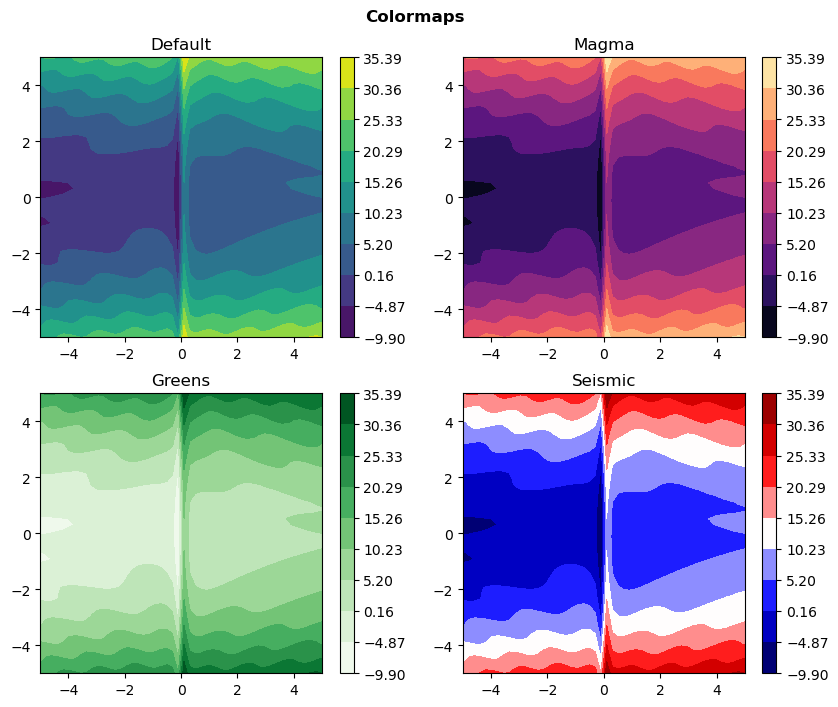
Using colormaps is quite simple: add the cmap='CMAP_NAME' option to the plotting function you are using and MatPlotLib will handle the rest.
In the following script, we use four different colormaps with the same contourf function on the same data. The invocation stays mostly the same, it just changes the cmap option on each one. We also use a new function, fig.suptitle(), which puts a title at the top of the figure, instead of on top of a specific set of axes. The y option (y=0.94) helps position the overall title so that there is not as much space around it as if we left that option off.
Colormap Scales
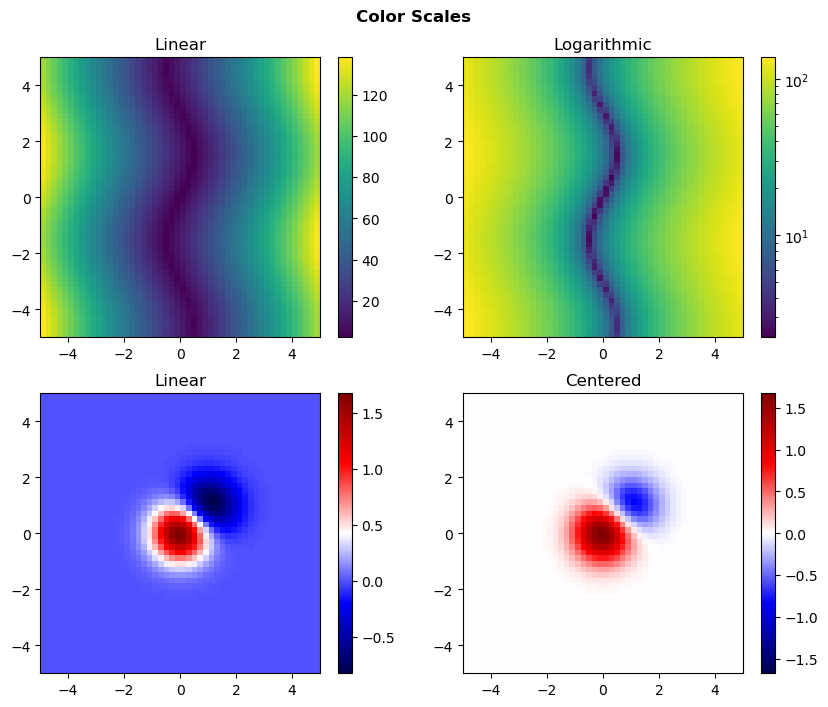
What if you had some non-linear scale you wanted to show of data, or data that has a large span? MatPlotLib allows you to change the scale, or normalization of the colormap. In the following script, we show three types of color normalizations:
- Linear
- Logarithmic
- Centered
Linear is the default and linearly increases from your data's minimum to its maximum. Logarithmic uses a linear scale through powers of 10 to place more emphasis on smaller data values. Centered puts the center of the scale at 0 and essentially maps the data to go from the largest absolute value of your data down to the negative largest absolute value.
To implement these scales, we need to import one more package: matplotlib.colors at the top of our script, and we will nickname it: colors. Then in the plotting invocation, we can use the norm=NORMALIZATION option to specify the normalization of the data. Here we use the ax.imshow() function to plot the data, with a specified extent=[left,right,bottom,top] to constrain the span of the data. We use two different functions: one that is strictly positive (for the top two plots) and one that spans positive and negative (for the bottom two plots). The strictly positive one is necessary because the logarithmic norm fails if there are negative values in the data. There is an option for a two-sided logarithmic norm that uses a logarithmic scale for both sides of zero. Details of that normalization can be found here.
In the next section, we will discuss how to make a time-series of plots into an animation, such as a gif.