What is a cluster?
Before we begin, we must understand what a cluster actually is, and what it consists of. A cluster is built from many inter-connected servers, which are attached to one or more data storage systems. They typically run a UNIX-like operating system and are managed by a batch scheduler.
Servers (Nodes)
So what are these servers that make up the clusters? They're all just computers! They look a certain way and live in a data center, but at the end of they day its just a specialized computer with memory, CPUs, and storage. When referring to a server as part of a group, such as in a cluster, we typically refer to them as nodes, although they go by many other names such as: computer, server, machine, host.
Different nodes can also have different purposes, such as login vs. compute vs. data. We will get into this distinction more later in this section.
Here is what a node looks like and what it is made up of:
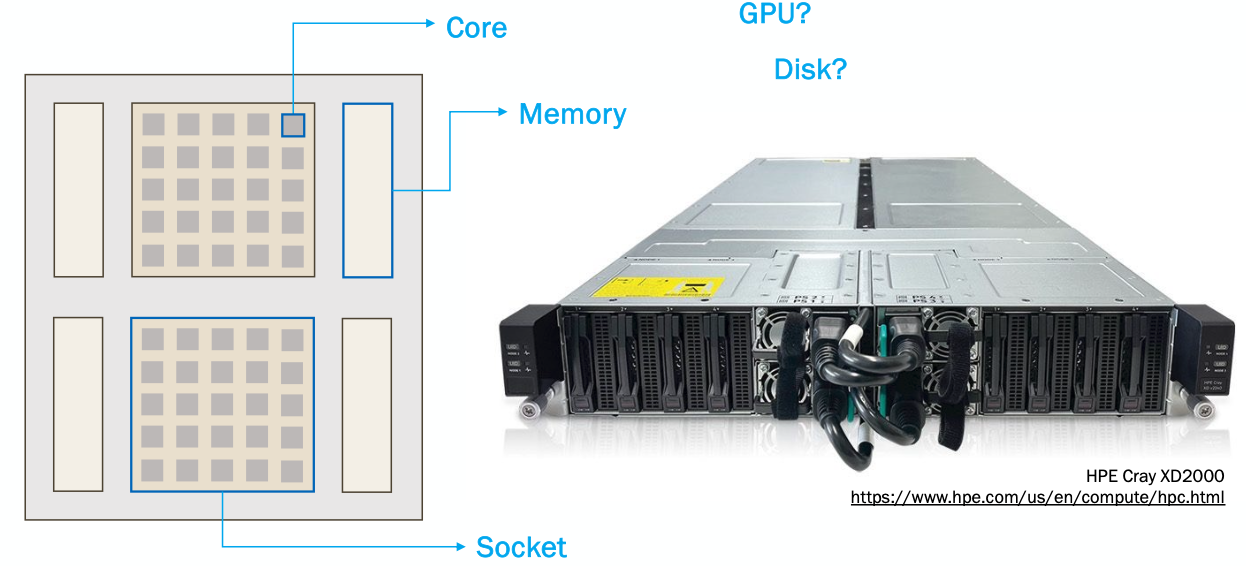
Each node has one or more sockets that are each made up of a number of cores. Each socket has its own memory associated with it. There are many other components that can make up a node, such as disk space, or GPUs.
Clusters
Very broadly, a cluster is just a collection on nodes, which are able to communicate and work together. Most clusters are broken up into two main parts:
1) Front-end or login nodes
2) Compute or back-end nodes
When you log into the cluster, you are put onto a login node, which is limited in resources and not suitable for doing actual research. You need to interact with the scheduler (which we will talk about today in the Cluster Job Submission section) to move from the login nodes to the compute nodes.
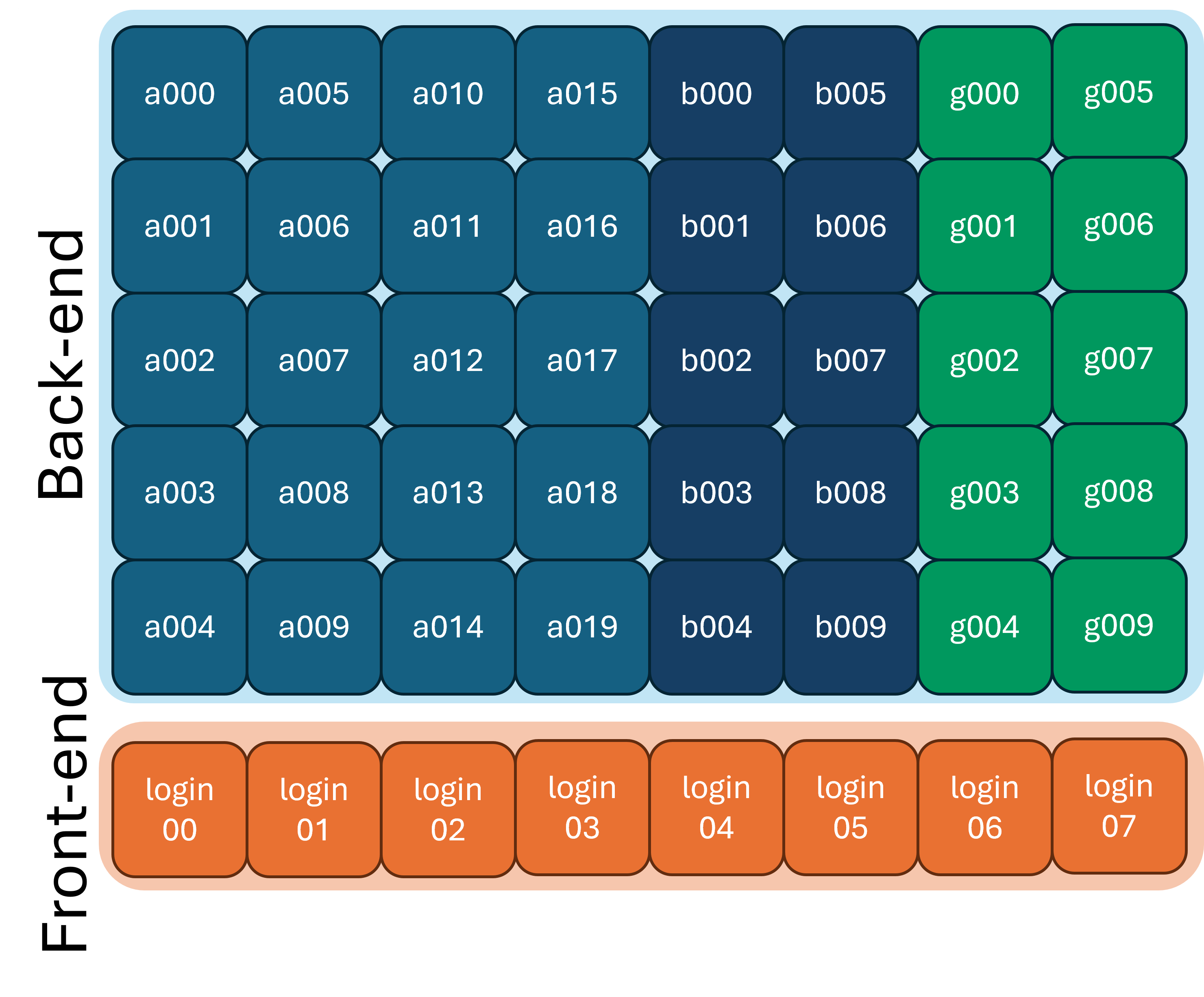
You can typically tell what node (and node type) you are on by looking at your command prompt:
or by using the hostname command:
Cluster Filesystems
It is important to understand that many filesystems on the cluster are shared across nodes.
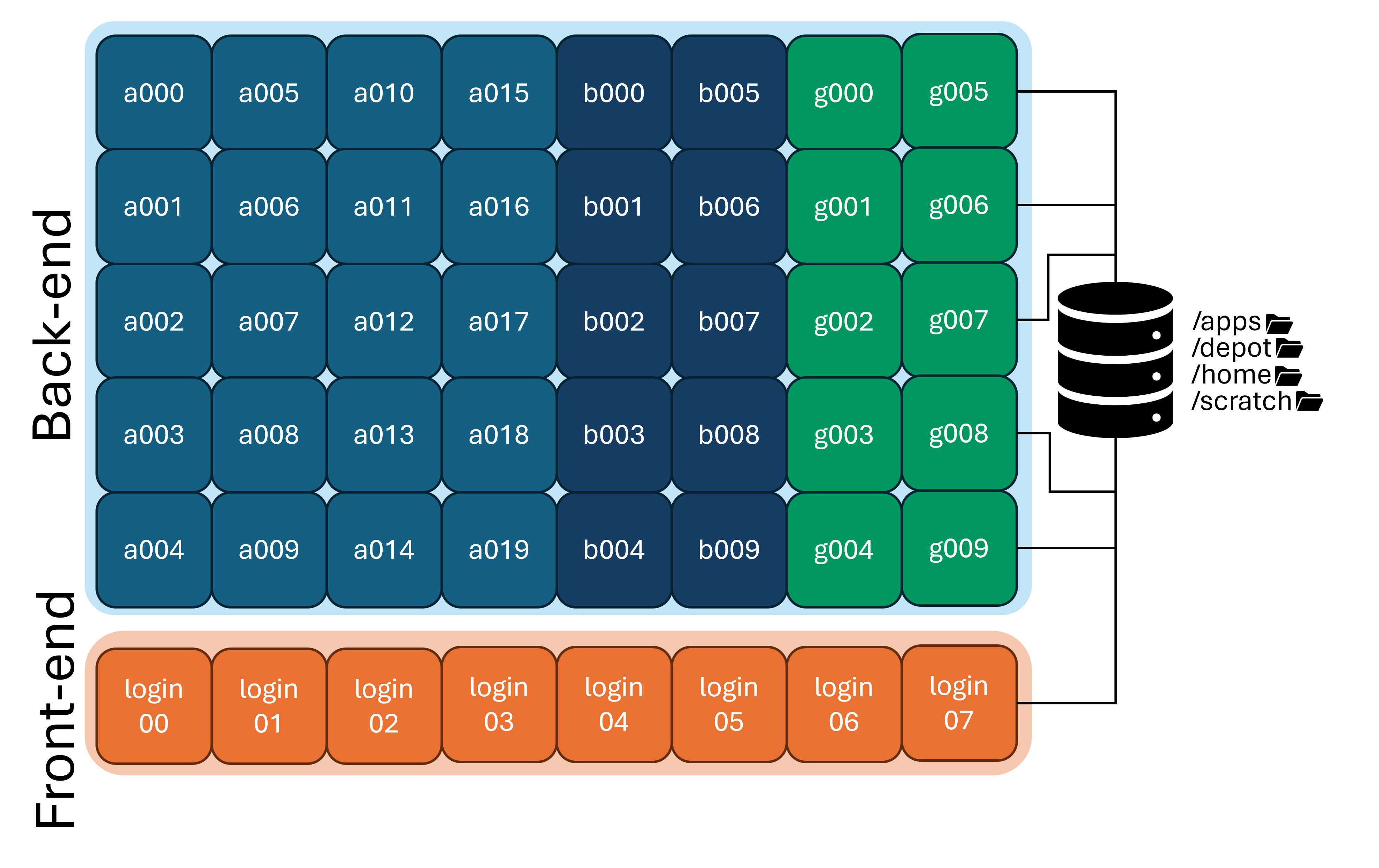
If you create a file in your home directory on a login node, that same file will be available on any of the compute nodes, because all of the nodes are mounting the same home directory filesystem.
| Storage | Location | Purpose | Availability |
|---|---|---|---|
| Home | /home/username |
Backed up personal storage | Shared across all nodes |
| Scratch | /scratch/cluster/username |
Large temporary files | Shared across all nodes |
| Depot | /depot/labname |
Files and programs for your lab | Shared across all nodes AND across clusters |
| apps | /apps |
Centrally installed applications | Shared across all nodes |
| temp | /tmp |
Varies | Node specific |
Next Section: Purdue Clusters